
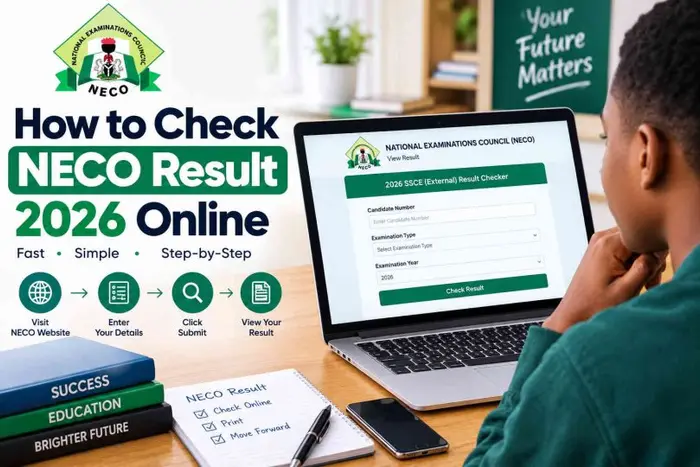
Candidates who sat for the 2026 Senior School Certificate Examination conducted by the National Examinations Council can now check their results online.
The examination body released the 2026 SSCE results on Thursday, with 1,371,992 candidates sitting for the examination out of the 1,378,048 who registered.
According to NECO, 804,948 candidates, representing 58.67 per cent, obtained at least five credits, including English Language and Mathematics.
The examination body also said 1,126,118 candidates, representing 84.70 per cent, obtained five credits and above irrespective of English Language and Mathematics.
Candidates can check their results by following these steps:
Step 1: Visit the NECO result portal:
Candidates should open a browser on their phone or computer and visit the official NECO result-checking portal, results.neco.gov.ng.
Step 2: Select the examination year:
After opening the portal, select 2026 as the examination year.
Candidates should also select the appropriate examination type, such as SSCE Internal, depending on the examination they sat for.
Step 3: Enter the result-checking token:
Enter the NECO Result Checking Token in the space provided.
Candidates who do not have a token can purchase one through the official NECO result portal by following the payment instructions provided.
Step 4: Enter the registration number:
Candidates should carefully enter their NECO registration number and check the details to ensure that there are no errors.
Step 5: Check the result:
After entering all required details, candidates should click on “Check Result” and wait for their 2026 NECO SSCE result to appear.
The candidate’s 2026 NECO SSCE result should then appear on the screen if the details provided are correct.
What to do if the result does not appear:
Candidates whose results do not immediately appear should first confirm that they selected the correct examination year and examination type.
They should also check that their registration number and result-checking token were entered correctly.
A stable internet connection is also required, so candidates can refresh the page and try again if the result does not load.
Candidates are advised to use only the official NECO result portal and avoid sharing their examination details with unverified individuals or websites.
About the Author